Skip to product information
1 of 6

OZParaTech

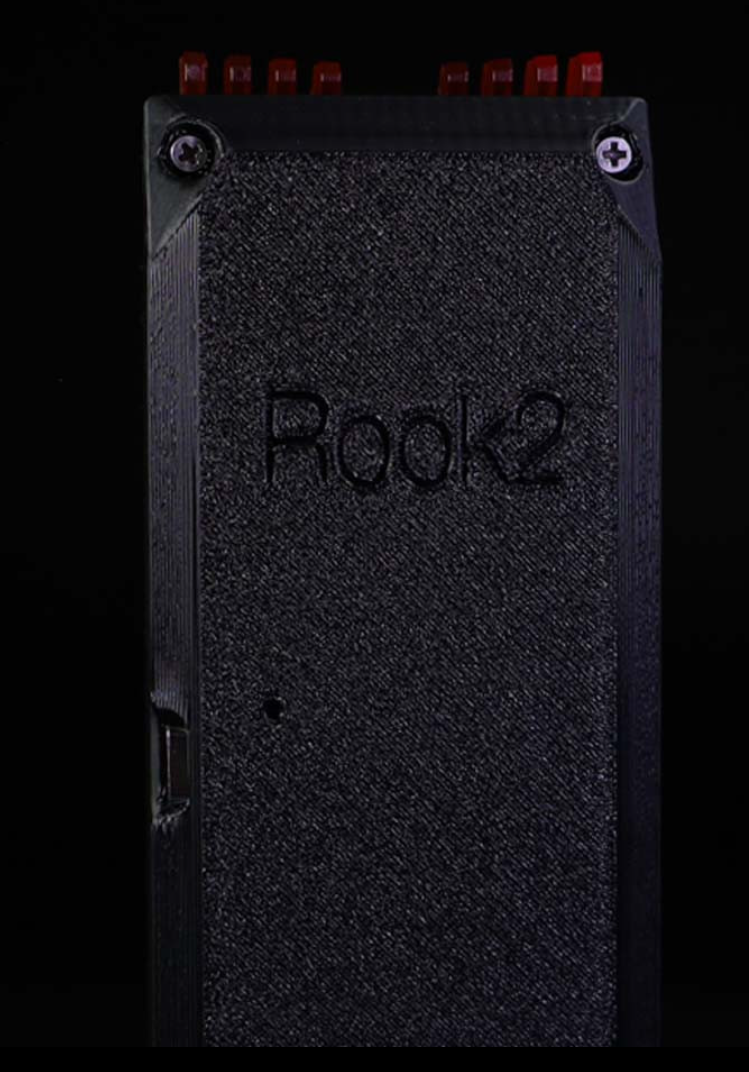
Rook 2 EMF Data Logger – Ghost Hunting Meter

Regular price $295.00 AUD
Regular price Sale price $295.00 AUD
Sale Sold out
Tax included. Shipping calculated at checkout.

Oz Para Tech is an authorised supplier of GhostStop equipment.

Meet the next evolution in paranormal investigation tools — the Rook 2 EMF + Data Logger. Built specifically for ghost hunting, this device not only detects environmental changes but records them, giving you a complete picture of what’s happening during your investigation.


👻 Designed for Serious Investigations

The Rook 2 detects subtle fluctuations in electromagnetic fields (EMF) and ambient temperature, alerting you in real time with both visual and audible cues. It’s engineered to minimise interference and reduce false readings, making it a reliable tool when documenting potential paranormal activity.


🔍 Key Features

  • EMF & temperature sensors with light and sound alerts
  • Clear digital display showing real-time readings
  • Built-in data logging to SD card
  • Automatic spike detection with flag markers
  • Highly sensitive EMF detection for subtle changes
  • Designed to prioritise natural magnetic and man-made EMF while reducing interference
  • Freestanding design for full 360° visibility
  • Rechargeable battery with USB-C charging
  • Speaker control, SD card slot, and intuitive operation

📊 Data Logging – Evidence You Can Review

Unlike traditional meters, the Rook 2 records continuously when an SD card is inserted — no need to press record.

  • Logs all readings into a CSV file
  • View data in Excel, Google Sheets, or similar programs
  • Analyse trends, graph activity, and identify anomalies
  • Perfect for sharing findings with teams or clients

🚩 Smart Spike Flagging

The Rook 2 automatically highlights significant changes during your session:

  • EMF spikes: marked as E
  • Temperature rise: T+
  • Temperature drop: T-

You’ll get:

  • Visual light alerts
  • Audible notifications
  • Logged markers for easy review later

📟 Multi-Function Display

The fast LED screen shows:

  • Live EMF strength readings
  • Real-time temperature
  • Spike indicators
  • Battery level
  • SD card recording status

⚡ EMF Detection with Audio Feedback

The highly sensitive EMF sensor detects even minor environmental changes.

  • Progressive tone increases with strength/proximity
  • Light indicators pulse and intensify with activity
  • Speaker can be turned on or off

🌡️ Ambient Temperature Monitoring

Track environmental changes with:

  • Real-time digital temperature display
  • LED indicators:
    • 🔵 Blue = temperature drop
    • 🔴 Orange/Red = temperature rise
  • Switchable between Celsius and Fahrenheit

🛡️ Built to Reduce Interference

Many EMF meters react to common electronics like phones and radios. The Rook 2 is designed to minimise these false triggers, focusing on meaningful environmental changes instead.


🔋 Battery & Build

  • Long-lasting rechargeable battery
  • USB-C charging
  • Designed and assembled in the USA
  • Hand-built components (including 3D printed parts), meaning each unit may have slight cosmetic variations that do not affect performance

👁️ Why Investigators Use EMF

In paranormal research, unexplained EMF fluctuations are often considered potential indicators of unseen energy or presence—once natural sources have been ruled out.

The Rook 2 helps you detect, document, and analyse these changes with precision.


💀 Bottom Line

If you want more than just a flashing light meter — if you want data, evidence, and clarity — the Rook 2 delivers.

________________________________________________________________________________________________

🔧 Technical Specifications

  • EMF detection with dual onboard panels (each with 4 LEDs) to indicate field strength
  • Audible speaker increases in intensity as EMF strength rises
  • Data recording to Micro SD card
  • Rechargeable battery via USB-C
  • Battery life: over 11 hours on a single charge (depending on spike activity)
  • Compact size: 2.3" x 5.8" x 1"
  • Single-axis EMF detection
  • EMF range: high-resolution variable scale from 0 to approximately 20 mG+
  • Frequency range: approximately 5Hz – 1MHz
  • Ambient temperature displayed in Fahrenheit
  • Spike alerts triggered at ±2 mG change from the previous reading
  • Supports Micro SD cards up to 32GB
  • Illuminated power indicator
  • Lit ON/OFF power switch for easy visibility in low light


📦 Directions & Usage


▶️ Getting Started

To power on the Rook 2, simply slide the front switch to the right.
The centre logo will illuminate red, confirming the device is on.

Once active:

  • The display will take a few seconds to boot up
  • EMF and temperature readings will begin showing automatically

⚡ EMF Detection & Indicators

The Rook 2 uses 8 LED bars across the top to display EMF activity:

  • Inner lights = lower EMF levels
  • More bars illuminated = stronger EMF spike
  • Lights may flicker due to the device’s high sensitivity to even minor changes

An audible tone will also sound when higher EMF levels are detected:

  • Tone increases in pitch with stronger readings
  • Speaker can be turned on or off via the bottom switch

🧭 Directional EMF Detection

The Rook 2 is a single-axis EMF sensor, meaning it detects energy in one direction.

  • Readings will vary depending on the angle and direction the device is pointing
  • Movement (such as walking) will affect readings
  • Best practice: place the device stationary on a flat surface for consistent results

Tip:
To test EMF response, move the device near common sources like a desk fan or fluorescent light.


⚠️ Important Note on Readings

EMF readings should not be compared directly between different devices.

Each meter (including K2 or Mel meters) measures different frequency ranges, so values will vary.
Use the Rook 2 to track changes and patterns, rather than comparing exact numbers.


🌡️ Temperature Monitoring

  • Temperature is displayed in Fahrenheit
  • A central indicator light shows temperature changes:
    • 🔵 Blue = temperature drop
    • 🔴 Red = temperature increase
  • Changes are detected in approximately 2-degree increments from the previous reading

📊 Data Logging & Analysis

The Rook 2 automatically records data when a Micro SD card is inserted.

  • Data is saved as a CSV file during live readings
  • A blinking recording icon confirms logging is active
  • If no card is inserted, the display will show: “No SD Card”

To record data:

  1. Insert Micro SD card into the side slot
  2. Turn the device on
  3. Recording begins automatically

⚠️ If the SD card is removed while powered on, restart the device for it to recognise the card again.


📈 Reviewing Your Data

  • Remove the SD card and insert into your computer
  • Open the file in:
    • Excel
    • Google Sheets
    • Numbers
    • Or any spreadsheet/graphing software

This allows you to:

  • Scroll through readings
  • Create graphs
  • Identify patterns and anomalies
  • Present findings to clients or investigation teams

🔌 Power & Charging

  • Use the included USB-C cable with any standard USB power source
  • Wall charging requires a USB/AC adapter (not included)

Charging Indicators:

  • 🔴 Red light = Charging
  • 🔵 Blue light = Fully charged

Battery Performance:

  • Over 11 hours of use on a full charge (depending on activity)
  • Approx. 1 hour charging time

The device can be used while charging, allowing:

  • Continuous operation via wall outlet
  • Mobile use with a USB battery pack

▶️ Getting Started

To power on the Rook 2, simply slide the front switch to the right.
The centre logo will illuminate red, confirming the device is on.

Once active:

  • The display will take a few seconds to boot up
  • EMF and temperature readings will begin showing automatically

⚡ EMF Detection & Indicators

The Rook 2 uses 8 LED bars across the top to display EMF activity:

  • Inner lights = lower EMF levels
  • More bars illuminated = stronger EMF spike
  • Lights may flicker due to the device’s high sensitivity to even minor changes

An audible tone will also sound when higher EMF levels are detected:

  • Tone increases in pitch with stronger readings
  • Speaker can be turned on or off via the bottom switch

🧭 Directional EMF Detection

The Rook 2 is a single-axis EMF sensor, meaning it detects energy in one direction.

  • Readings will vary depending on the angle and direction the device is pointing
  • Movement (such as walking) will affect readings
  • Best practice: place the device stationary on a flat surface for consistent results

Tip:
To test EMF response, move the device near common sources like a desk fan or fluorescent light.


⚠️ Important Note on Readings

EMF readings should not be compared directly between different devices.

Each meter (including K2 or Mel meters) measures different frequency ranges, so values will vary.
Use the Rook 2 to track changes and patterns, rather than comparing exact numbers.


🌡️ Temperature Monitoring

  • Temperature is displayed in Fahrenheit
  • A central indicator light shows temperature changes:
    • 🔵 Blue = temperature drop
    • 🔴 Red = temperature increase
  • Changes are detected in approximately 2-degree increments from the previous reading

📊 Data Logging & Analysis

The Rook 2 automatically records data when a Micro SD card is inserted.

  • Data is saved as a CSV file during live readings
  • A blinking recording icon confirms logging is active
  • If no card is inserted, the display will show: “No SD Card”

To record data:

  1. Insert Micro SD card into the side slot
  2. Turn the device on
  3. Recording begins automatically

⚠️ If the SD card is removed while powered on, restart the device for it to recognise the card again.


📈 Reviewing Your Data

  • Remove the SD card and insert into your computer
  • Open the file in:
    • Excel
    • Google Sheets
    • Numbers
    • Or any spreadsheet/graphing software

This allows you to:

  • Scroll through readings
  • Create graphs
  • Identify patterns and anomalies
  • Present findings to clients or investigation teams

🔌 Power & Charging

  • Use the included USB-C cable with any standard USB power source
  • Wall charging requires a USB/AC adapter (not included)

Charging Indicators:

  • 🔴 Red light = Charging
  • 🔵 Blue light = Fully charged

Battery Performance:

  • Over 11 hours of use on a full charge (depending on activity)
  • Approx. 1 hour charging time

The device can be used while charging, allowing:

  • Continuous operation via wall outlet
  • Mobile use with a USB battery pack

Australian Supplier

OzParaTech is based in the Central Coast region of New South Wales. By purchasing from us, you enjoy Australian support, rapid shipping timeframes and are helping an Australian small business. We appreciate your support and feel free to tell your friends about OzParaTech!